
Leads and opportunities
Capture enquiries, follow them up, and turn them into quotations and customers.
Plan availability
Included in the Enterprise plan. Contact us if you want to upgrade.
Overview
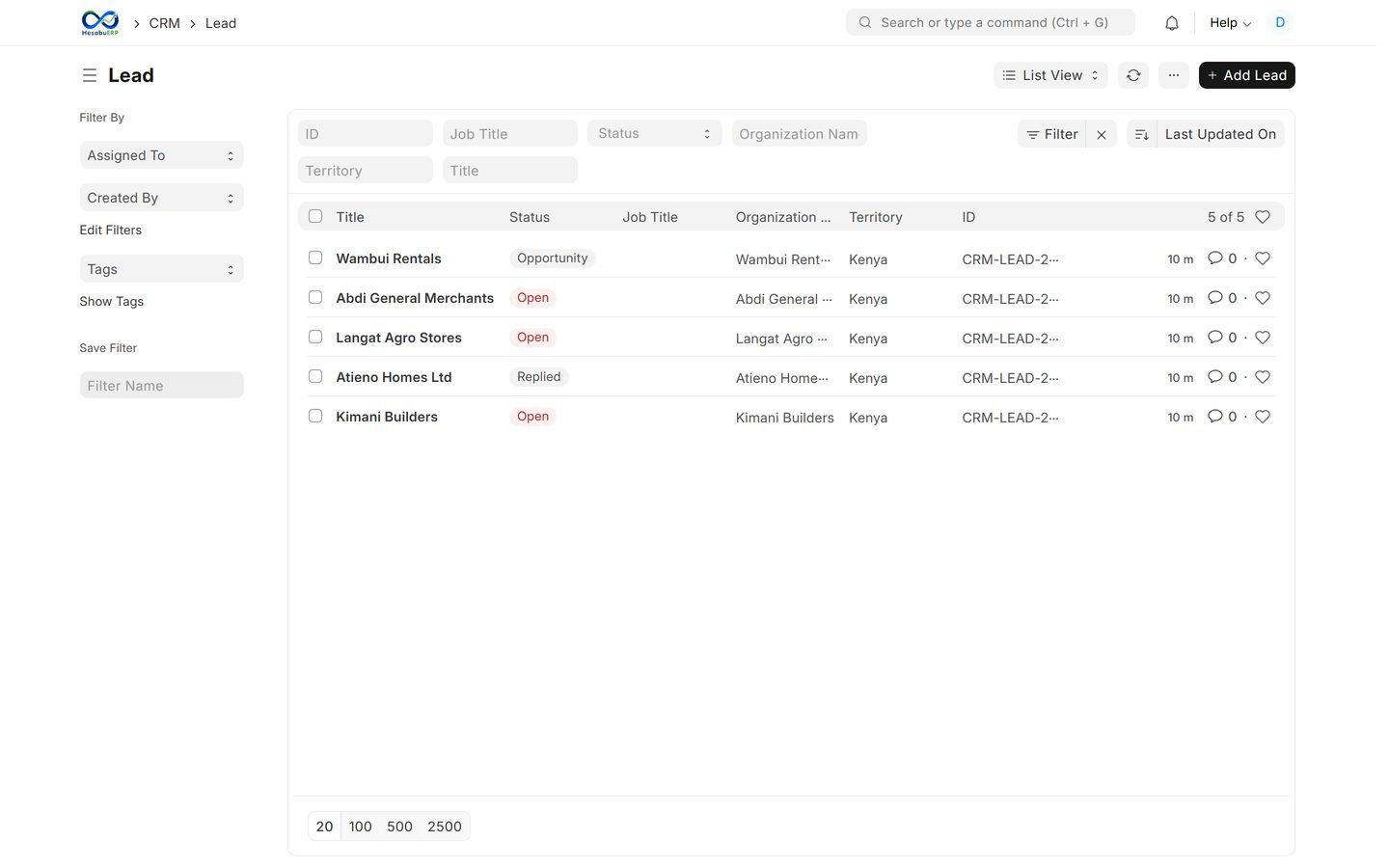
A Lead is someone who might buy from you. An Opportunity is a lead with a real chance of becoming a sale. Tracking them in one place means no enquiry is forgotten.
Prerequisites
The CRM module is included in your plan. Check your sidebar for CRM.
Steps
Record a lead
- Open CRM, then Lead, and click Add Lead.
- Enter the person's name, the Organization Name, their phone and email, and the Source (for example Walk In or Campaign).
- Choose the Territory and Status.
- Click Save.
- Log each conversation: scroll to Activity and add a Comment, or send an Email.
Turn a lead into an opportunity
- Open the lead and click Create, then Opportunity.
- Enter what they want, the expected amount and schedule the next follow-up from the Activities tab (a To Do or Event with a date).
- Click Save.
Make a quotation and a customer
- In the opportunity, click Create, then Quotation. The lead becomes a customer when you confirm.
- Continue as in From quotation to payment.
Practical example
Atieno Homes Ltd phones about 50 sheets of roofing. The salesperson records a lead, creates an opportunity worth KES 62,500, and schedules a follow-up for next Monday. On Monday a reminder appears, she calls, and creates a quotation.
Important notes
- Use the Status to see your pipeline at a glance: Open, Replied, Opportunity, Converted, Lost.
- Scheduling the next follow-up keeps leads warm. Without it, leads go cold.
Common mistakes
- Creating a customer straight away for a casual enquiry. Start with a lead.
- Not recording why an opportunity was lost. Use the Lost reason so you can learn from it.