
Stock reports
See what you hold, where, what it is worth, and what is moving or stuck.
Plan availability
Included in the Kuza and Enterprise plans. It is not part of Biashara. Contact us if you want to upgrade.
Overview
Stock reports are in the Stock workspace under Reports. They answer the daily questions: what do I have, where, and what should I buy.
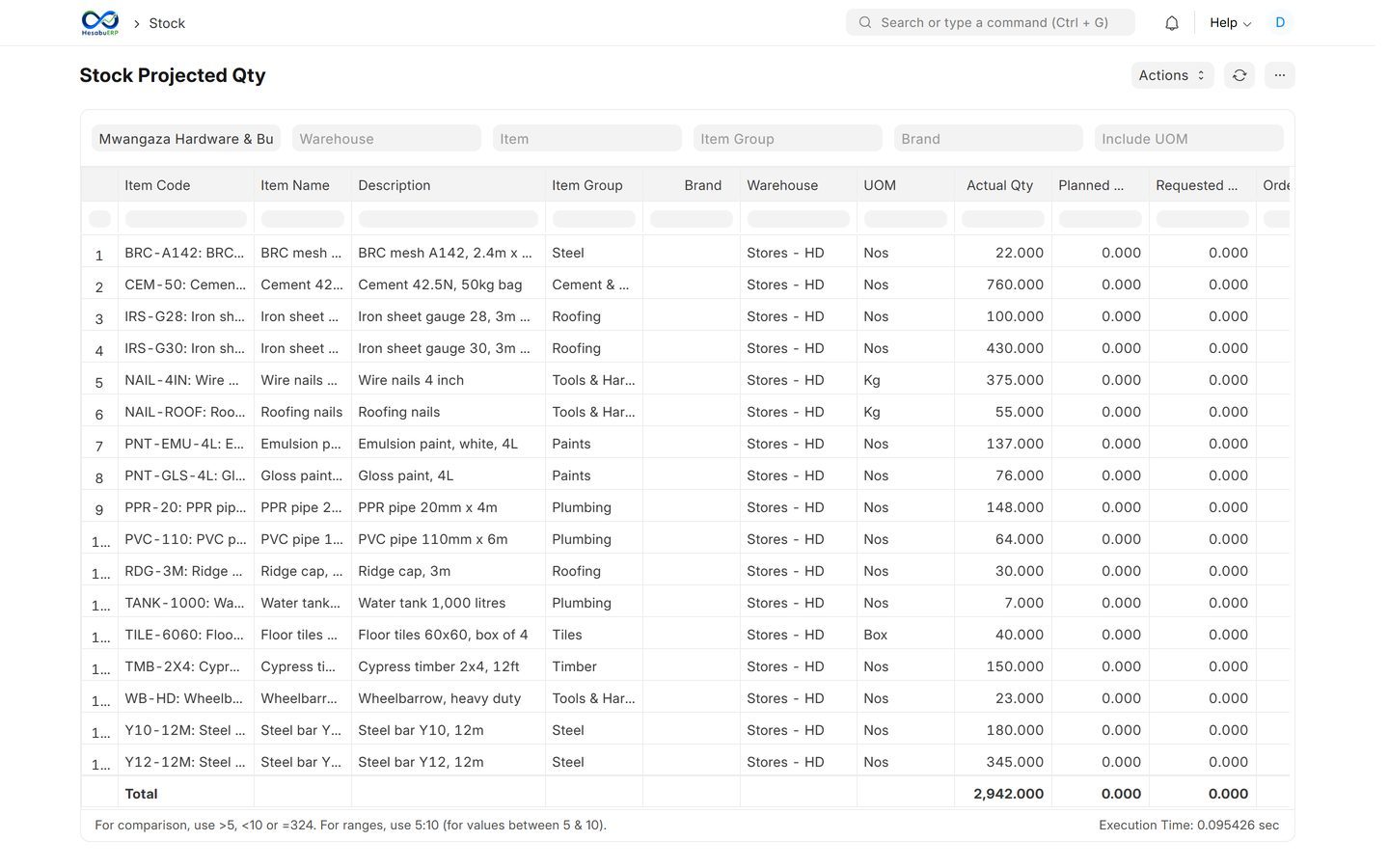
The key reports
| Report | It answers |
|---|---|
| Stock Balance | How many of each item are in each warehouse, and their value |
| Stock Ledger | Every movement of an item, with who and when |
| Stock Projected Qty | Stock on hand plus what is on order, minus what is reserved |
| Stock Ageing | How long stock has been sitting |
| Item Shortage Report | Items needed to meet orders but not available |
| Warehouse-wise Stock Balance | The total per warehouse |
Steps
- Search for the report, for example Stock Balance.
- Set the Company, From and To dates, and optionally the Warehouse or Item Group.
- Read the Balance Qty and Balance Value columns.
- Click an item to open its ledger.
- Use Menu, then Export to share it.
Practical example
On Friday, the owner runs Stock Balance filtered to the Roofing item group. 100 iron sheets of gauge 28 are left in Stores. He opens the Stock Ledger for that item and sees where the sheets went this week, then raises a purchase request.
Important notes
- Reports show submitted movements only.
- If numbers look wrong, check the filters (warehouse, company and dates) before suspecting the data.
- Compare the Stock Balance value to your Stock account in the Balance Sheet. They should match.
Common mistakes
- Reading the report for one warehouse and thinking it is the total.
- Forgetting to set the To Date to today.
Troubleshooting
Next steps
Move on to System administration.